
Announcing 'Your Music'
Play your Neuralingual session over your own music — Spotify, Apple Music, anything. A new way to fit practice into more of your day.
Neuralingual has always let you set background music under your affirmations — a whole library of it, tuned to different moods. That's not going anywhere. But we've added a new option we're excited about, and it opens up a lot of moments the built-in music doesn't reach.
It's called Your Music, and it does what it sounds like: your session plays over whatever you're already listening to.
Meet 'Your Music'
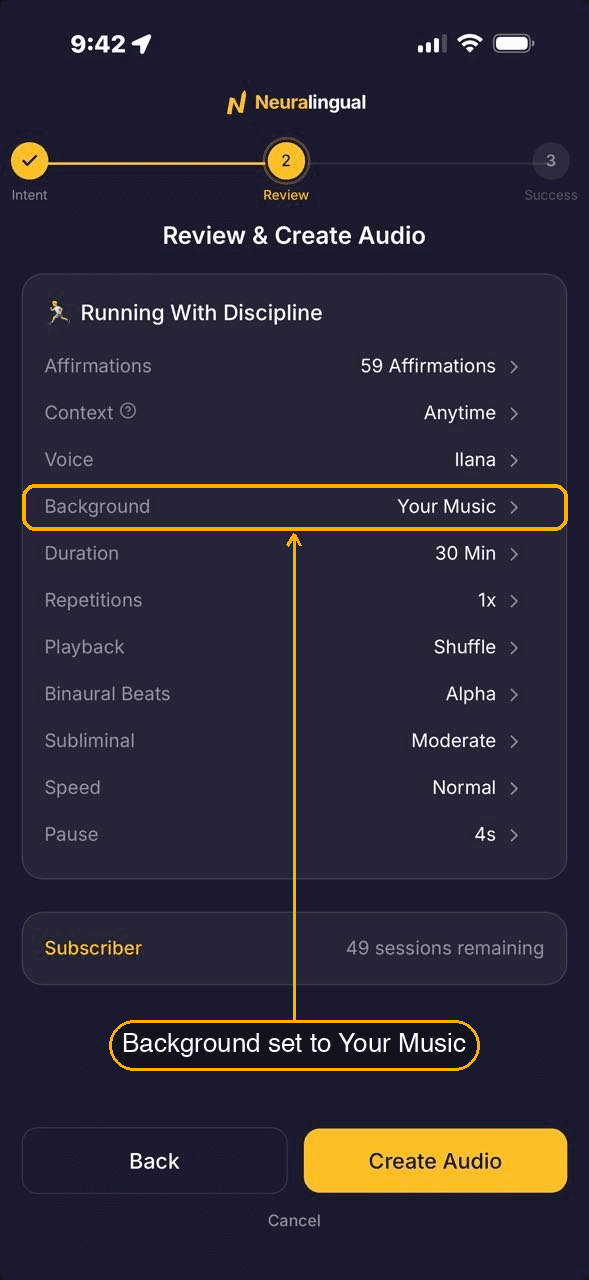
Pick Your Music instead of a background track, and your session renders with just the voice and whatever layers you've chosen — no background music of its own. When you play it, it sits on top of whatever your phone is already playing.
That's useful because the right soundtrack changes with the moment:
- Your usual playlist on a run.
- Something chill in the hot tub.
- Whatever you already put on to focus.
The affirmations come through over all of it. One session, rendered once, works against any of them — which mostly means more chances to actually use it. That's the whole point of the practice: doing it often, and Your Music makes "often" easier by fitting sessions into things you're already doing.
How to turn it on
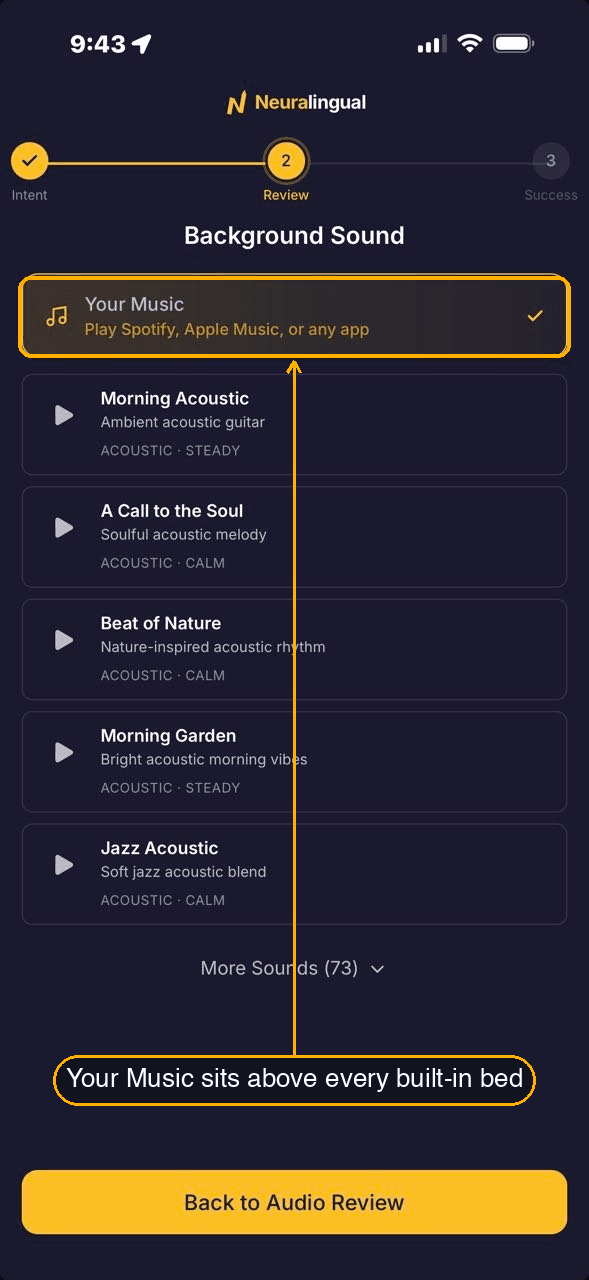
Three taps, from any session's review screen:
- On the Review & Create Audio screen, tap the Background row.
- Choose Your Music — it's at the top, above the background music options.
- A short note explains how it works. Tap Got it, and create your audio.
Then start your music in whatever app you like and play your session — either order works. The affirmations settle in on top.
A couple of things to know
Your music and your session are two separate apps playing at once, so a few things work the way that implies:
- The pause button pauses your music, not the affirmations. Your music app is in charge of playback, so the controls you'd normally reach for — the lock screen, your headphones — pause the music. The session keeps going underneath. To pause the affirmations, open Neuralingual.
- Your lock screen shows your music. Same reason: your music app owns the lock-screen and Control Center card, so that's what you'll see there, with the session running under it.
- You set the balance from your music app. The affirmation voice plays at a fixed level; nudge your music's volume up or down to sit it where you want against the voice.
When the built-in background music is the better pick
Your Music is an option, not a replacement — and sometimes the built-in background music is the better choice:
- For sleep, naps, and meditation. The built-in tracks are tuned for winding down, and — the part that matters at 3am — they end when the session ends. Your own playlist would keep going into the quiet you were trying to reach.
- When you want one self-contained recording — to share a session, or to have the whole thing as a single piece of audio that sounds the same anywhere.
So: winding down, or sharing? Built-in background music. Moving through a day that already has a soundtrack? Your Music.
A note from the founder
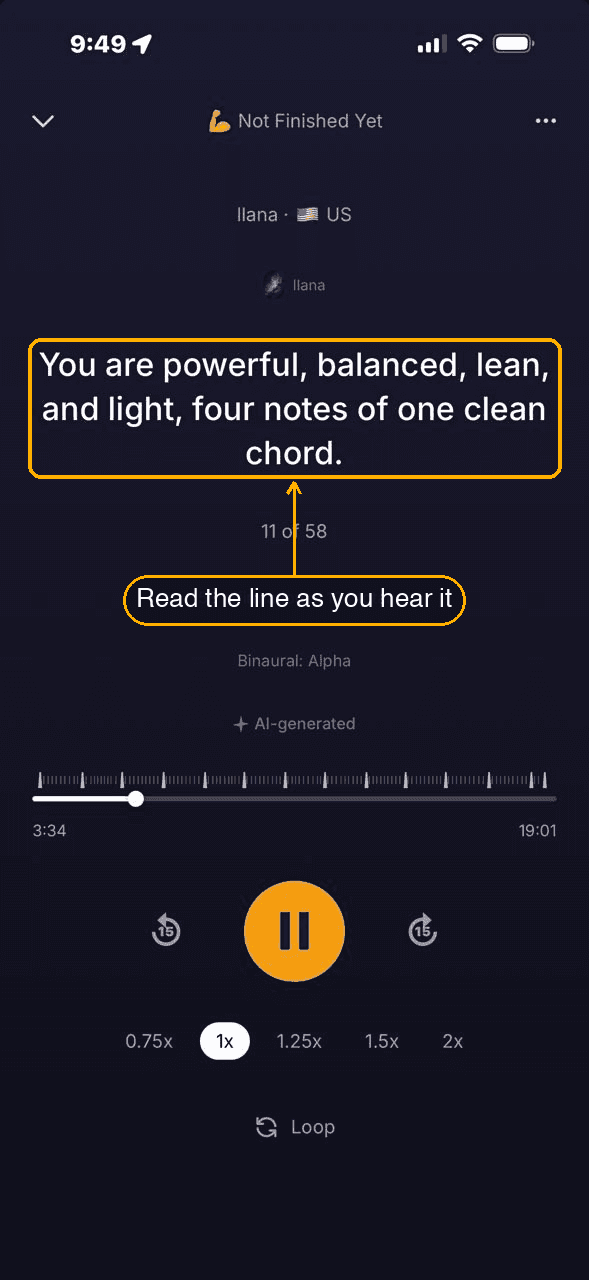
I use Your Music a lot now. On a workout I'll put on my usual playlist and start a session over it. For the cooldown I switch to something slower, and the same session keeps going — it doesn't care that the music changed. On the elliptical I'll turn the screen on and read each affirmation as it plays; reading the line while I hear it, mid-effort, does something the audio alone doesn't.
Mostly it just means I reach for a session in more moments than I used to. That's the point.
— Dave
Your Music is live now. Open any session's Background row and it's the first option, right at the top.
Get posts like this in your inbox
Occasional writing about affirmations, intentional self-development, and building AI tools. No spam, unsubscribe anytime.
Subscribe